Answer from approved facts
Teach an agent from your pages and documents. Recognized personal details are removed from uploaded knowledge.
Trust, in plain words
NetShow gives your business a live AI host while keeping people in control. Every promise below is true today; each one links to the place we explain it.
You’re talking to an AI agent: Mrs. NetShow, in the corner of this page, says so first.
Useful, with boundaries
The host shows what it can do, asks before sensitive actions and leaves a clear next step.
Teach an agent from your pages and documents. Recognized personal details are removed from uploaded knowledge.
Camera and microphone access need browser permission. Form filling and other changes wait for consent.
A visitor can say “Forget me” and start the removal of their visitor history, conversations and leads.
The real product
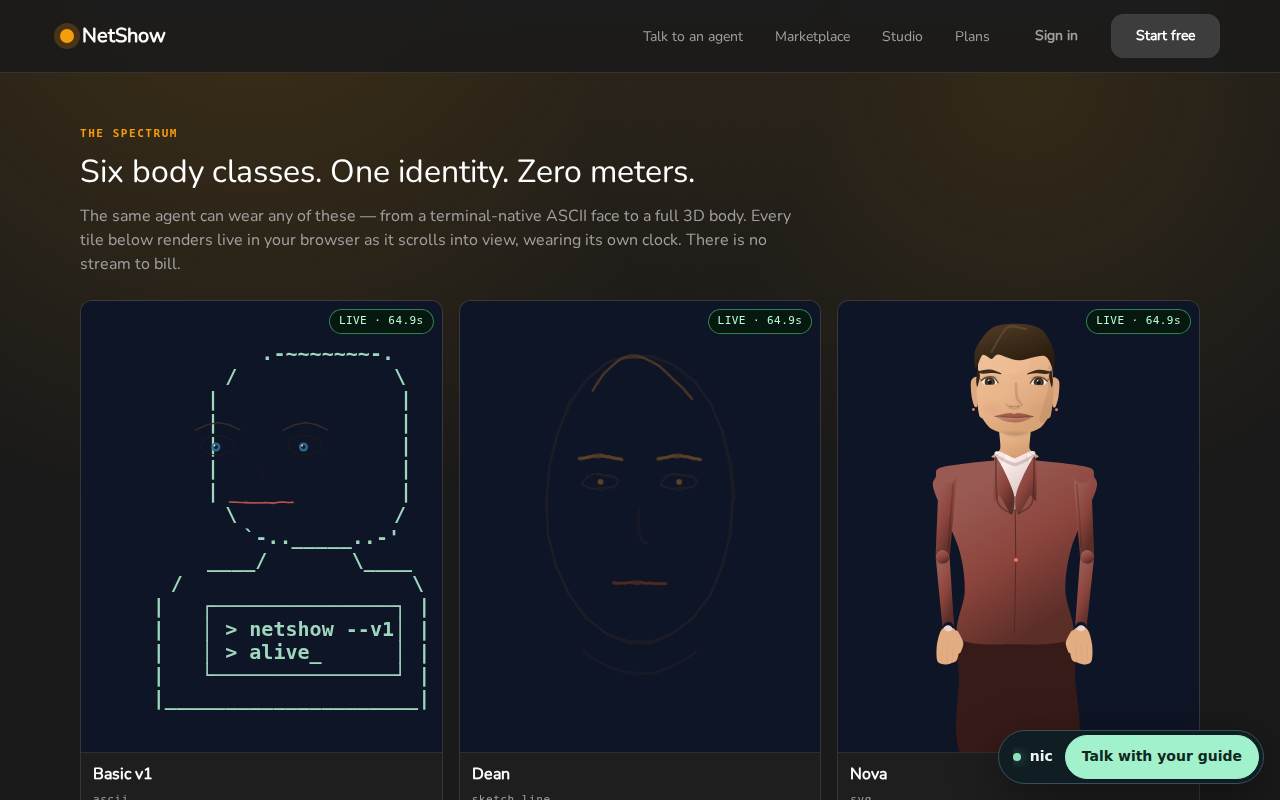
These are current NetShow screens, not concept art. The live host on this page wears the same Alive Kit used across the product.
One platform
The same consent, disclosure and removal promises follow the host from your website to its public agent page. Meet Mrs. NetShow here, explore the Alive Kit, or read the privacy policy.
Honest monthly starting prices
Any business that wants every visitor and caller answered.
Growing businesses with more than one job to hand over.
Companies that need their AI employees on their own infrastructure.
Promises you can check
Our agents are AI, not people. They are told to say so whenever you ask, and never to claim to be a person.
Your browser asks before our agent can use your microphone or camera, and tapping is your OK for that conversation only. We don't keep the recording: what you say is kept as text, like a typed message, and a camera picture is used to answer and not stored.
Where an agent chat shows Forget me, one tap queues removal of this browser's visitor records and lists what it covers; removal finishes afterward. You can also email [email protected] to have what we keep deleted.
If your browser sends Global Privacy Control, we treat it as your request to opt out, and we also honour Do Not Track: our avatars stop remembering you between visits.
We do not sell your personal information, and we do not share it for cross-context advertising.
Every page is served over HTTPS, and browsers are told to use nothing else (HSTS), so what you type travels encrypted.
When a site agent is built from a knowledge file you supply, recognized personal details in that file are replaced before its text joins the agent's knowledge.
Voice copies made in NetShow's voice studio need the voice owner's agreement first, and the owner is given a take-back code. With it they can switch the voice off at any time, without an account: every agent goes back to the NetShow voice and the copy is deleted at Google.
A face uploaded to make an agent is bound to consent. If it shows a living person other than the owner, that person approves or refuses through a one-time link, and until they approve the face is not shown in public. Either side can take it back.
When an agent keeps notes from a conversation, it refuses to remember passwords, one-time codes, card numbers or recovery phrases, and one owner's memories are not read by another owner's agent unless the owner shares them.
Real social posting is one of our locked switches. While it is locked, a post an agent writes can only become a draft for a person to review.
Every skill submitted to our marketplace is scanned for dangerous instructions before anyone can add it to an agent, and a skill with a serious finding is refused.
A small checking model reads each reply and each step an agent wants to take, with personal details removed first; a reply that breaks our rules is replaced with a safe answer, and a risky step needs a higher level of permission.
Before NetShow calls an address given to an agent (its own endpoint, an MCP server or a harness gateway), it checks that the address is public, so an agent cannot be pointed at private networks.
Explore how the safeguards work. Optional protections depend on the site’s settings. Ask the host to explain any topic.
A pass for an embedded agent works only for that agent and expires. It does not give a visitor your signed-in owner session.
Before the factory works on a site, it checks the list of sites it must leave alone. Listed sites and sites beneath those domains are refused.
When this protection is enabled, visitor messages and text from elsewhere are kept separate from the agent’s instructions.
When a record is looked up for an owner, another owner’s record is refused the same way a missing record is.
When this link check is used, an agent cannot fetch a link that points to a local or private network.
When visitor action limits are enabled, actions beyond reading and drafting need the owner’s confirmation. Limited contact requests are allowed separately.
When the shared ground rules are enabled, agents receive instructions to be honest about being AI, respect consent and follow the right person’s instructions.
The local place option uses a location database on the server. It does not send a visitor’s network address to an outside location service, and leaves place details empty when it is unavailable.
The listed agent pages check that the signed-in person owns the agent. Signing in does not give you another owner’s agent.
Agent guardrails check what people send and what the agent says. The enabled checks and their failure settings determine whether a turn can continue.
Access keys let approved software reach an agent. Only the owner’s protected controls manage them; this guide never shows or creates a key.
A conversation can keep a record of permission and what it covers, so permission can be checked for a particular activity.
Receipts record checks that ran. When the receipt page is enabled, signed-in owners can review their own records.
Privacy records track requests to erase information and changes to what is public. Reading this guide does not erase anything or make an agent public.
You can report a character that uses your work without permission. The report goes for review; only the platform owner can decide to hide the character.
These protections are built into NetShow. Availability depends on each feature's settings; this guide does not report which safeguards are enabled for your agent.
Configured signup and public forms check a Turnstile or reCAPTCHA response before accepting it.
A second input check can strengthen the first safety finding, using text with personal details removed, without weakening an existing refusal.
Public conversations pause when their safety checks cannot complete.
Messages can be checked by a moderation provider, with a local safety check when that service cannot answer.
Learned lessons are checked for unsafe instructions, personal details and secret values before an agent uses them again.
Chat use follows the configured free-demo and internal-use limits.
Recognized personal details are removed from task messages before agents share them.
Sensitive tool inputs and visitor details are hidden in activity records when this privacy check is enabled.
Agent-look exports are refused if they contain private instructions, memories, conversations or secret fields.
An operator can remove covered records for one person, record what was removed and block those records from being added again.
Creation safety checks keep a business and its new agents tied to their owner and keep files and secret values out of public view.
The delegated authority check keeps team tasks within the tools their permission allows.
Legal and care hire pages explain that the AI is not a licensed professional.
The regulated-field guard adds clear limits to agents working in law, medicine, mental health, finance or licensed trades.
Owners can review proposed check-ins and records of agent actions from their existing pages.
Check-in suggestions need the current owner's permission and respect quiet hours and other limits.
Completed agent removals leave a record when its storage is available; memory removal and publishing have their own records.
The operator's error check spots repeated failures and signs of attacks for the existing error report.
Erasure tests check that covered records stay removed and show the known gaps.
A coverage list records where each kind of data is held and what removal can and cannot reach.
Questions? [email protected]
Start free